The concept
Context window: the maximum amount of text a model can consider at once, measured in tokens (Day 16). Think of it as working memory, or a desk of fixed size.
Everything must fit on that desk together: instructions, pasted documents, the conversation so far, and the answer being written.
Window sizes vary a lot by model, from a few thousand tokens in older or smaller models to hundreds of thousands or more in some current ones. Check the docs for the model you use.
Walkthrough: a 300-page mortgage servicing agreement
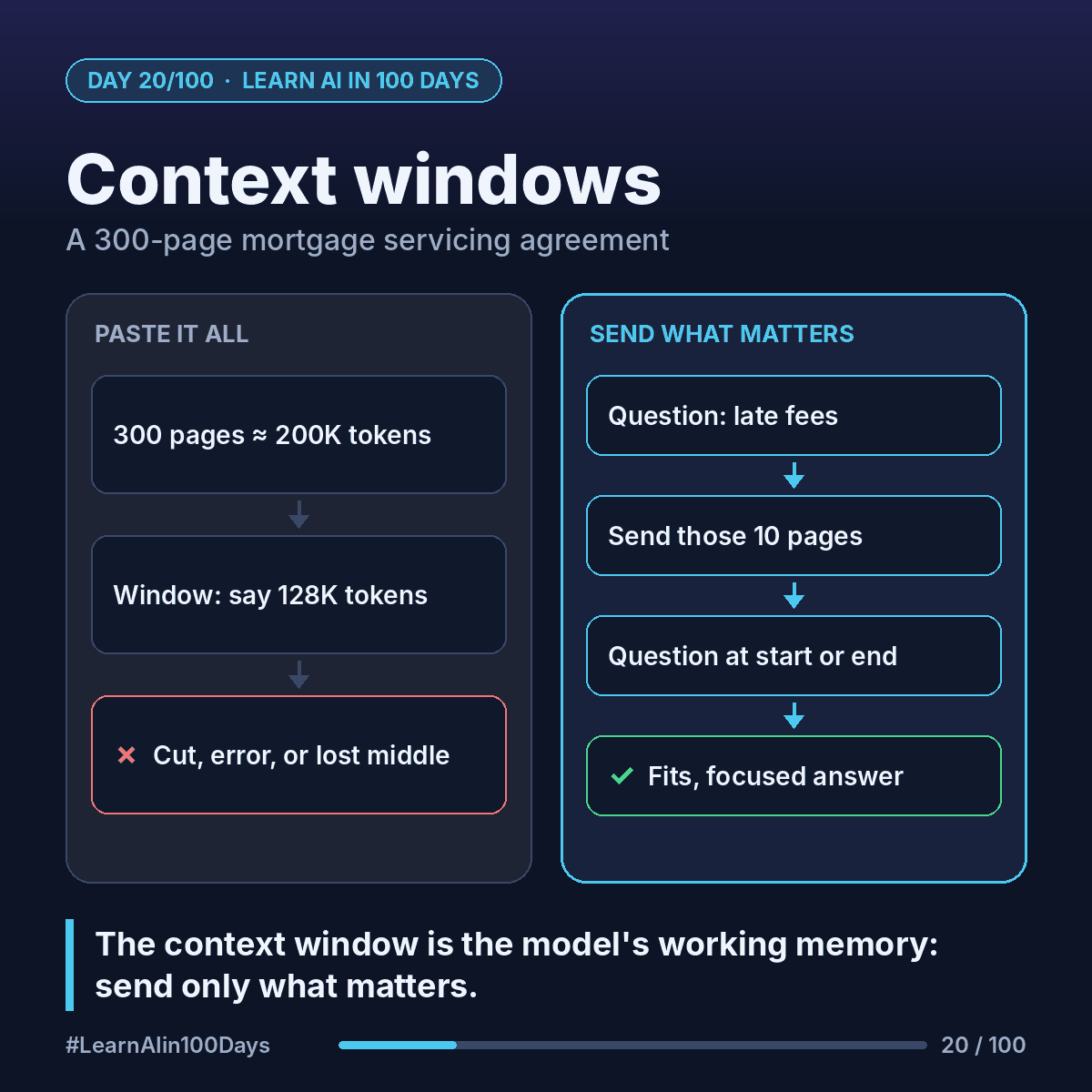
Step 1: estimate. Say each page has about 500 words. 300 × 500 = 150,000 words. At about ¾ of a word per token, that's roughly 200,000 tokens.
Step 2: compare. Imagine your model's window is 128,000 tokens. The document alone doesn't fit, before you even ask a question.
Step 3: what happens when you exceed it?
- An API typically returns an error: input too long.
- A chat app may cut, drop or summarize older content to make room, often without telling you.
- In a long chat, the earliest messages are usually the first to go. That's why a bot "forgets" what you said an hour ago.
Step 4: even when it fits, attention can thin out. Researchers have observed that models often use information at the start and end of a long input better than facts buried in the middle. This is called "lost in the middle". The escrow clause on page 147 is the one most at risk.
Tips that work
- Send only what's relevant. Asking about late fees? Send the late-payment and default sections, maybe 10 pages, not 300.
- Put key instructions and the question at the start or end, not buried in the middle.
- For long chats, start a fresh one with a short summary of what matters.
- For big document sets, search for the right pieces first, then send those (retrieval, Days 29–31).
Filling a big window costs more too: every token sent is billed (Day 16).
Where you see it at work
- Banking: servicing agreements, loan files and policy manuals too big to paste whole.
- Insurance: a full claim file with photos, notes and correspondence.
- Healthcare: years of patient history where the key detail sits in the middle.
- Business analysis: long requirement docs. Send the section you need, not the binder.
In one sentence
The context window is the model's working memory in tokens; when you overfill it, things get cut or ignored, so send only what matters.