The concept
OpenAI Codex is OpenAI's coding agent. Like the agents in Days 57–58, it reads files, runs commands and proposes changes in a loop until the task is done.
The same Codex shows up in several places:
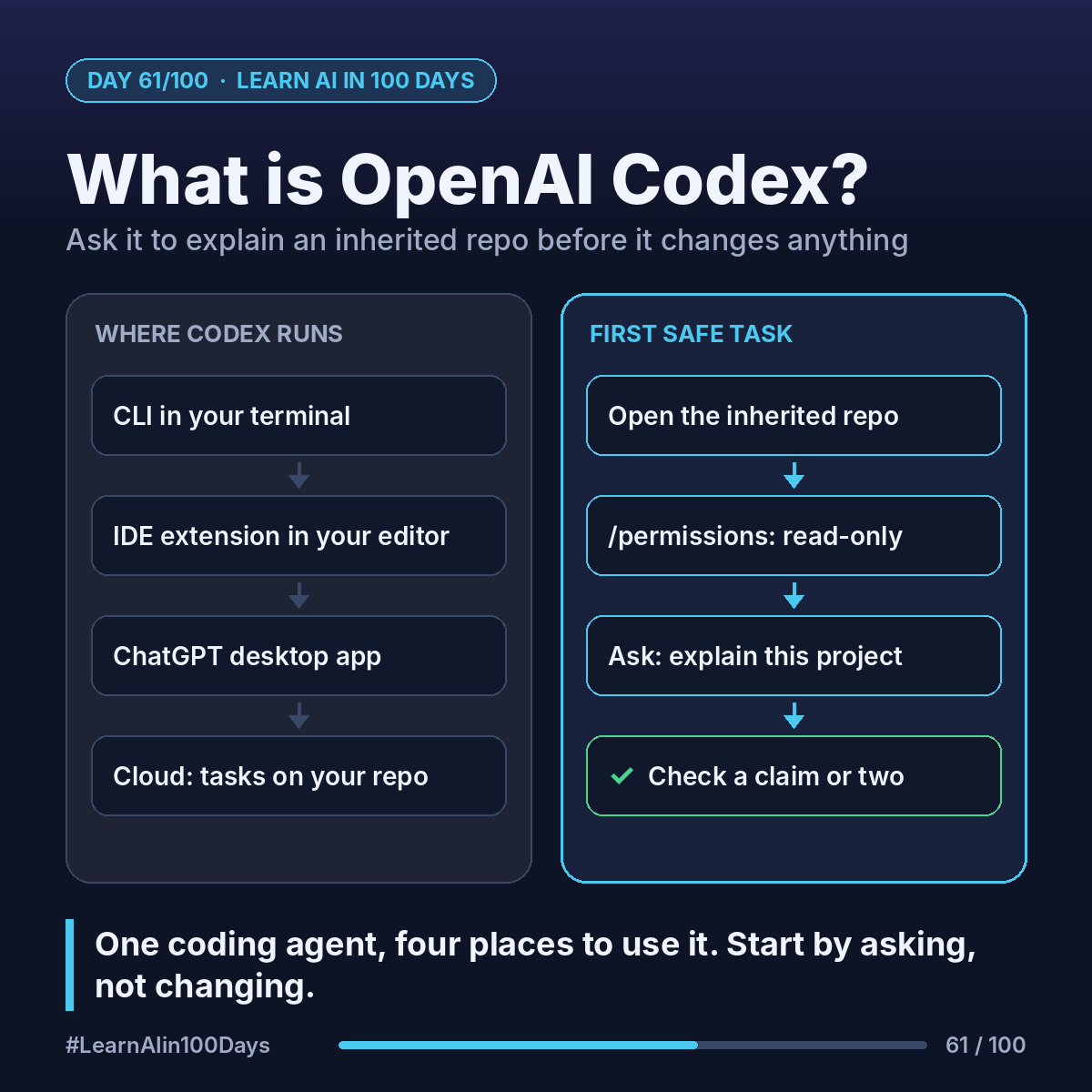
- Codex CLI: runs in your terminal (Day 47), inside one project folder.
- IDE extension: a Codex panel in VS Code and similar editors, plus JetBrains and Xcode integrations.
- ChatGPT desktop app: since July 2026 the former Codex app lives inside it, with its own Codex view.
- Codex cloud: a task runs in an isolated cloud container on a copy of your GitHub repo; you get back a diff (the changed lines) to review or turn into a pull request.
Local = fast, you watch every step. Cloud = longer tasks running in the background while you do something else.
Walkthrough: explaining an inherited repo
You take over a small internal reporting tool. A safe first CLI session:
1. Open the project folder in a terminal and start Codex.
2. Switch it to read-only with /permissions, so it can look but not change anything.
3. Ask: "Explain this project to a new team member: what it does, the main folders, how to run it, and anything risky."
4. Watch it list folders, open the README and config files, and search the code.
5. Follow up: "Which file would I change to add a new report column?"
You get a guided tour, not the truth. Codex can misread code, so check a claim or two in the files it names.
Where you see it at work
- Banking: onboarding a developer onto an old payments batch job.
- Insurance: understanding a legacy rating script before a rule change.
- Healthcare: mapping which files touch patient data before an audit.
- Retail: finding where discounts are calculated in a checkout service.
- Business analysis: "what does this system actually do?" before writing requirements.
Try it today (10–15 min)
1. Read the Codex quickstart: https://learn.chatgpt.com/docs/quickstart
2. Check your plan. OpenAI's pricing page lists Codex in Free, Go, Plus, Pro, Business, Edu and Enterprise, with different limits: https://learn.chatgpt.com/docs/pricing
3. Pick a small open-source repo on GitHub you've never seen.
4. Write down three questions you'd ask a colleague about it. Tomorrow you'll install Codex and ask them.
In one sentence
Codex is one coding agent you can use from the terminal, your editor, the ChatGPT app or the cloud, and a safe first job is asking it to explain code before you let it change any.
Which inherited system at your work would you most like explained to you? 👇