The concept
Deploying: putting your agent somewhere other people can use it, not just you.
Hosting: the computer that runs it when you're not there.
Rule one: the demo uses synthetic transcripts and a fake task list. Real meetings and customer data wait for your company's approval.
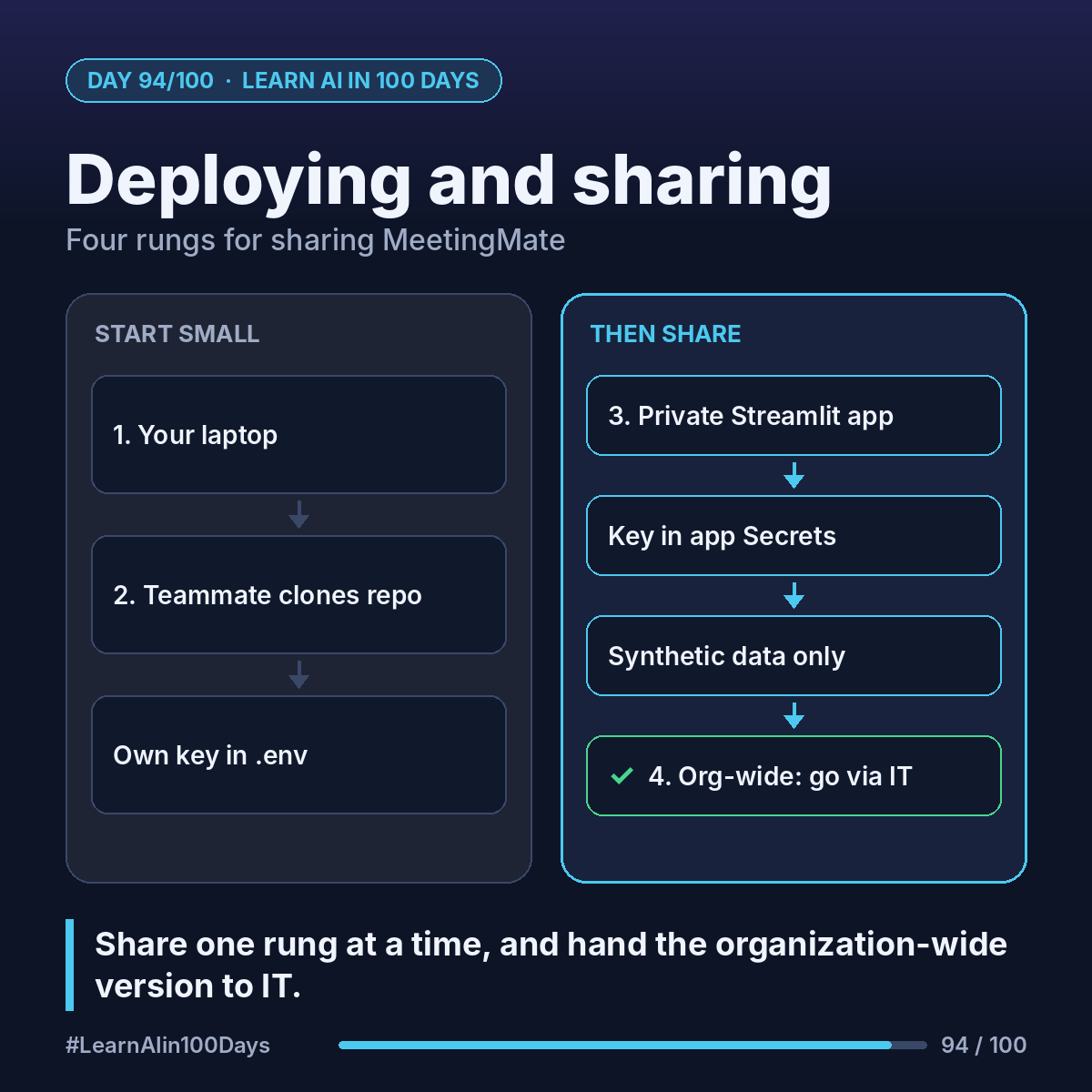
Walkthrough: 4 rungs for MeetingMate
Rung 1: just you
Run the script on your laptop: paste the product sync transcript, approve the 3 action items in the terminal. Most first agents should live here for a week.
Rung 2: one teammate
Share the GitHub repo (private). Add a requirements.txt listing the Python packages and a README with setup steps. Raj clones it and uses his own API key in a .env file (Day 51). Nothing is shared but code.
Rung 3: a small team, no install
Wrap the agent in a simple web page with Streamlit, a free Python library that turns a script into a web app: a text box for the transcript, a table of action items, and Approve buttons. Then deploy it free on Streamlit Community Cloud straight from your GitHub repo:
- The API key goes in the app's Secrets settings, never in the repo.
- Set it to "Only specific people can view this app" and invite Ana and Lena by email.
- Note: Community Cloud allows one private app at a time.
- create_task writes to a demo CSV file, not your real task tool.
Rung 4: the whole organization
Now it's an IT project: company-approved hosting, single sign-on, the real task system, a security review. Or rebuild the same design (instructions, 3 tools, glossary, approval step) in Copilot Studio and publish to Teams (Day 82), if that's your company's platform.
Before any rung beyond 1: evals pass (Day 91), spend is visible (Day 92), the 7 security checks are done (Day 93), and users know where to report problems.
Where you see it at work
- Banking: pilot on synthetic data before real customer text.
- Insurance: a prototype shared with a few adjusters first.
- Healthcare: internal tools run inside approved environments only.
- Product management: each rung is a release with its own success criteria.
Try it today (10–15 min)
1. pip install streamlit
2. Make app.py with a text area, a button and st.write(result) that calls your MeetingMate function.
3. Run: streamlit run app.py and open the local link.
4. Read how to deploy and share: https://docs.streamlit.io/deploy/streamlit-community-cloud
In one sentence
Share your agent one rung at a time, from your laptop to a teammate to a small private web app, and hand the organization-wide version to IT.