The concept
Microsoft Copilot Studio is a low-code studio for building AI agents and workflows. Low-code: you configure with forms, plain-English instructions and drag-and-drop, writing little or no code.
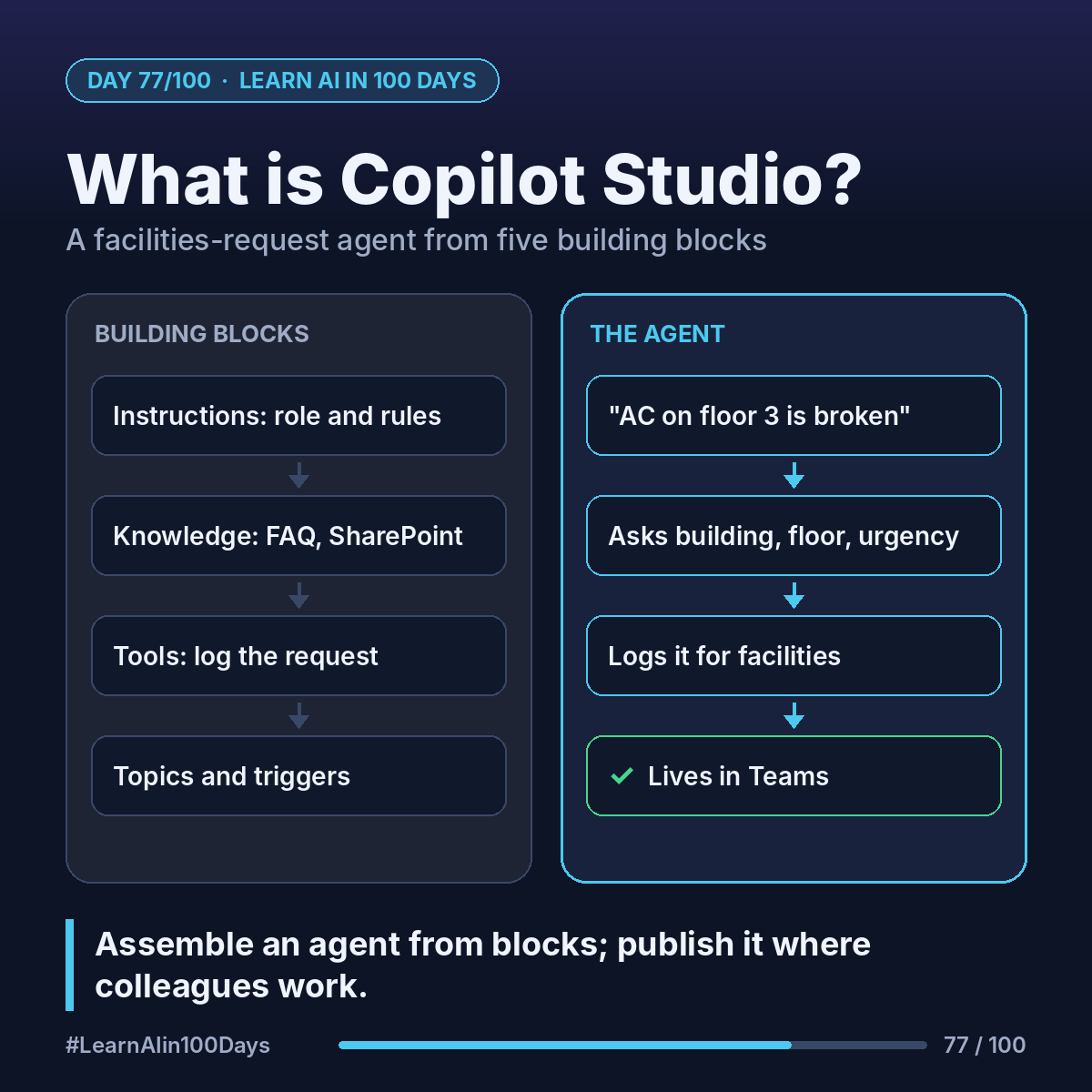
A Copilot Studio agent is built from:
- Instructions: plain-English rules, like a system prompt.
- Knowledge: sites, files or SharePoint it answers from (RAG).
- Tools: connectors, flows and APIs that let it act (Day 37).
- Topics: conversation paths you design step by step.
- Triggers: what starts it, a user message or an event.
Recent change: agents now run on a "harness", the engine underneath. The standard harness suits structured, predictable agents with topics. The GitHub Copilot harness (a Copilot Studio engine, not the GitHub Copilot service; parts in preview) suits reasoning-heavy, multi-step work. This week uses the standard harness.
Walkthrough: a facilities-request agent
A company wants one place to report "the AC on floor 3 is broken".
1. Instructions: "Help staff with facilities requests. Ask for building, floor and urgency. Never promise a repair time."
2. Knowledge: the facilities FAQ and building guide on SharePoint.
3. Topic: "Report an issue" asks 3 questions in a fixed order.
4. Tool: a flow that logs the request in the facilities team's list.
5. Channel: published to Microsoft Teams, where staff already work.
The agent ideas from earlier in the series, packaged as building blocks.
Where you see it at work
- Banking: internal helpdesks for branch procedures.
- Insurance: staff questions answered from policy manuals.
- Healthcare: IT and facilities requests for clinical staff.
- Retail: store-operations questions from managers.
- Product and BA: prototype an agent idea before any code.
Try it today (10–15 min)
1. Read the overview: https://learn.microsoft.com/en-us/microsoft-copilot-studio/fundamentals-what-is-copilot-studio
2. Check access: https://learn.microsoft.com/en-us/microsoft-copilot-studio/requirements-licensing-subscriptions. A trial needs a work or school account, and lets you build and test but not publish.
3. Sign in at https://copilotstudio.microsoft.com and look around.
4. Write the 5 building blocks for one agent your team needs.
Usage is billed in Copilot Credits (renamed from "messages" in 2025). Ask IT what your company has.
In one sentence
Copilot Studio lets you assemble an agent from instructions, knowledge, tools, topics and triggers, and publish it where colleagues already work.
Which request at your company would you hand to an agent first? 👇