The concept
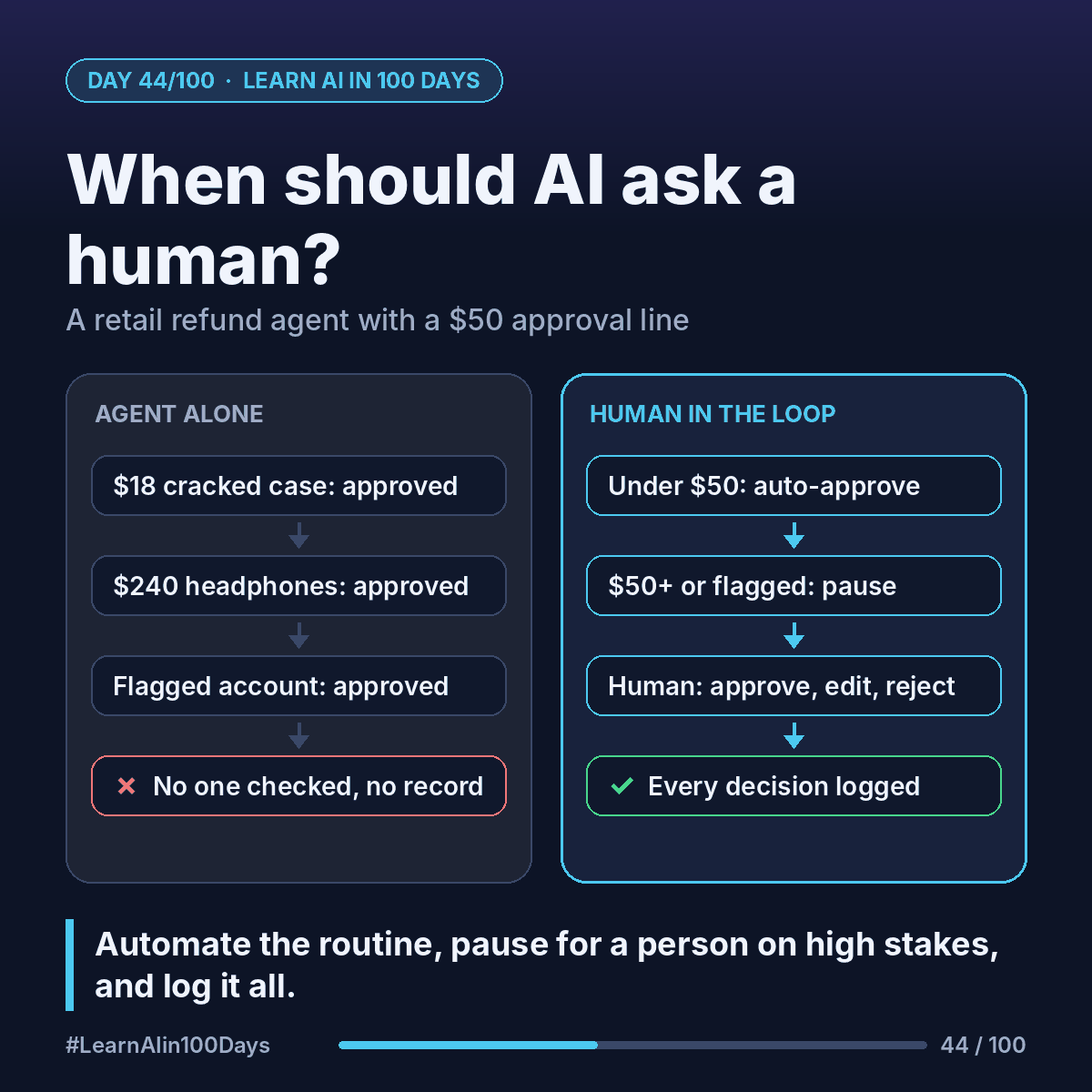
Human-in-the-loop (HITL): the agent does the routine work, but pauses at set points so a person can approve, edit or reject before anything important happens.
The real design work: which calls are safe to automate, and which need a person's judgment.
Three building blocks:
- Thresholds: clear rules for when the agent must pause (amount, risk flag, low confidence).
- Checkpoints: the person sees the agent's proposal and evidence, then approves, edits or rejects.
- Audit log: a record of what the agent did, what the human decided, and why.
Walkthrough: a retail refund agent
An online store's agent handles refund requests. The rules, set by the business:
- Under $50, account in good standing: auto-approve.
- $50 or more: pause for a human.
- Account flagged (say, many refunds in 30 days): pause for a human, whatever the amount.
Request 1: $18 for a phone case that arrived cracked, photo attached.
- Order, return window and account check out.
- Auto-approves. Logs: order, amount, rule applied, time.
Request 2: $240 for headphones "not as described".
- Over $50, so the agent pauses.
- It prepares a case card for a support reviewer: order, customer message, policy section, suggested action.
- The reviewer edits it: refund once the return is scanned, plus a goodwill coupon.
Request 3: $35 for a missing item, but the account is flagged.
- Under $50, yet the flag forces a pause.
- The reviewer sees a pattern of "missing item" claims and rejects with a note.
Every step lands in the audit log, so later you can answer "who approved this, and why?"
Designing good checkpoints
- Show the evidence, not just the answer, so the reviewer isn't rubber-stamping.
- Make approve, edit and reject equally easy.
- Watch the queue. Too many pauses and people click "approve" without reading.
- Revisit thresholds: if, say, almost every $50–$75 case is approved unchanged, maybe raise the limit.
Where you see it at work
- Retail: refunds, price overrides and account closures.
- Banking: payments above a set limit need a human approver.
- Insurance: AI drafts the claim decision (Day 15); an adjuster signs off.
- Healthcare: AI drafts patient messages; a clinician reviews first.
In one sentence
Human-in-the-loop lets agents handle routine cases on their own and pause for a person on high-stakes ones, with every decision logged.