The concept
Two settings shape a simple agent:
- Instructions: plain-English rules for role, tone and limits.
- Knowledge sources: what it answers from. Options include public websites, uploaded files, SharePoint, Dataverse (Microsoft's business database) and Azure AI Search.
Grounded answer: a reply based on your sources, with a citation, not the model's general memory.
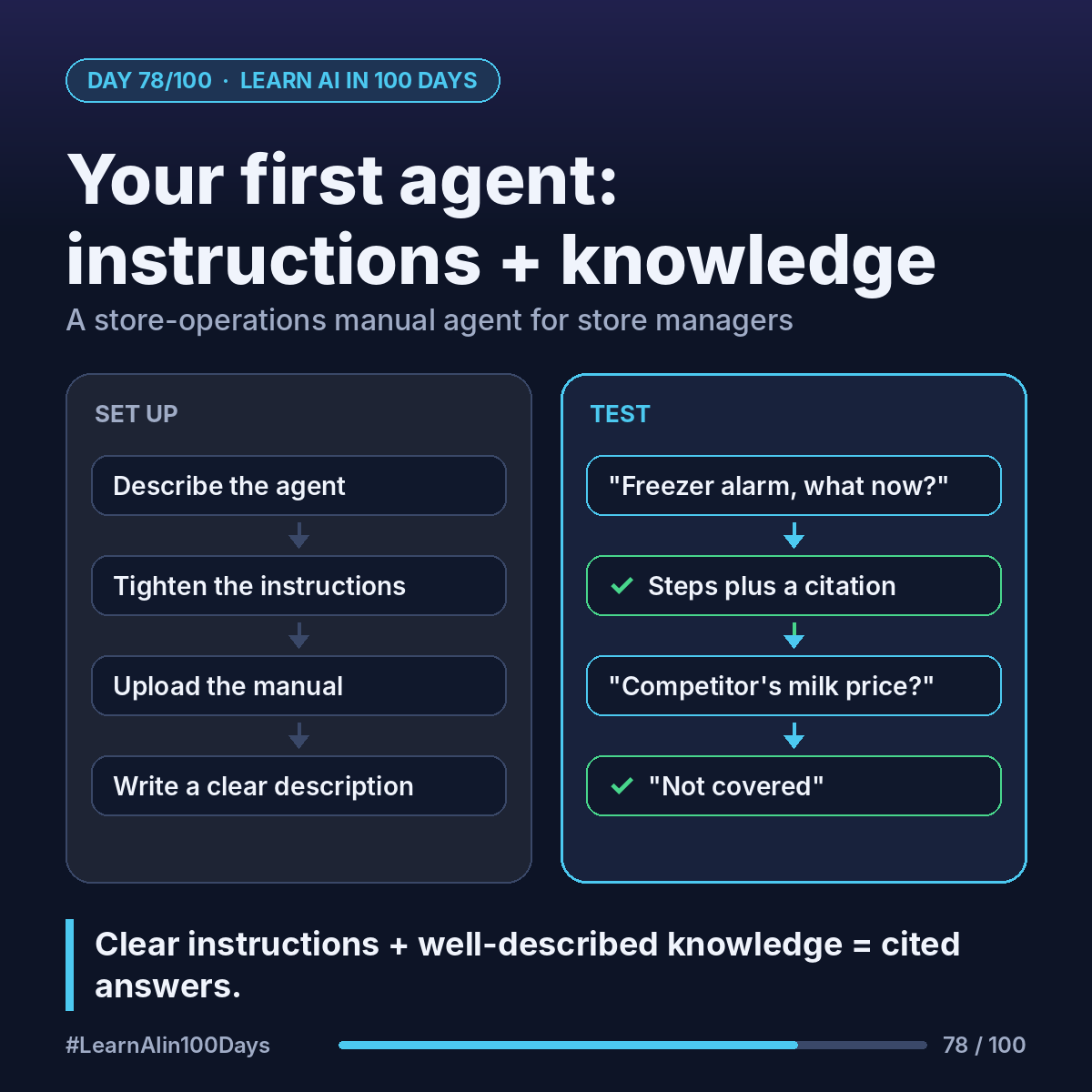
Walkthrough: a store-operations agent
1. At https://copilotstudio.microsoft.com, describe it in the box: "Answers store managers' questions from our store operations manual."
2. Copilot Studio drafts a name, description and instructions. Tighten the instructions:
"You help store managers with procedures. Answer only from the operations manual, as short numbered steps. Always include an in-text citation to the source document. If the manual doesn't cover it, say so and suggest calling the regional office."
3. Add knowledge → upload the manual (PDF, Word and more). Give it a specific description: "Store operations manual: opening and closing, cash handling, freezer alarms, deliveries."
4. In Settings → Generative AI, review "Allow ungrounded responses" and "Use information from the web". Off, the agent sticks closer to your sources (Microsoft notes it's not a guarantee).
5. Test in the "Test your agent" pane:
- "Freezer alarm is beeping, what now?" Expect steps plus a citation.
- "What's our competitor's milk price?" Expect "not covered".
Why descriptions matter: the agent picks sources and tools by their descriptions. Vague description, vague choices.
Where you see it at work
- Retail: store, warehouse and returns procedures.
- Banking: branch operations manuals.
- Insurance: underwriting guidelines for new staff.
- Healthcare: clinic admin procedures (non-clinical).
- Product and BA: a product wiki as an onboarding agent.
Try it today (10–15 min)
1. Follow the quickstart: https://learn.microsoft.com/en-us/microsoft-copilot-studio/fundamentals-get-started
2. Upload one non-confidential document you know well. Guide: https://learn.microsoft.com/en-us/microsoft-copilot-studio/knowledge-add-file-upload
3. Write 5 instruction lines: role, audience, source, format, what to do when unsure.
4. Ask 3 questions it should answer and 1 it shouldn't. Edit the instructions, compare.
A trial is enough to build and test; publishing needs a paid license.
In one sentence
Clear instructions plus well-described knowledge turn a long manual into an agent that answers with citations.
What document at your work deserves its own agent? 👇