The concept
Claude Code: Anthropic's coding agent. It reads your project's files, runs commands, edits code and works with Git, asking permission before actions your settings don't already allow. It runs in the terminal, VS Code, JetBrains IDEs, a desktop app and on the web.
You need a Claude Pro, Max, Team or Enterprise plan, or a Claude Console account (prepaid API credits).
Install (from the official quickstart):
- macOS, Linux, WSL: curl -fsSL https://claude.ai/install.sh | bash
- Windows PowerShell: irm https://claude.ai/install.ps1 | iex
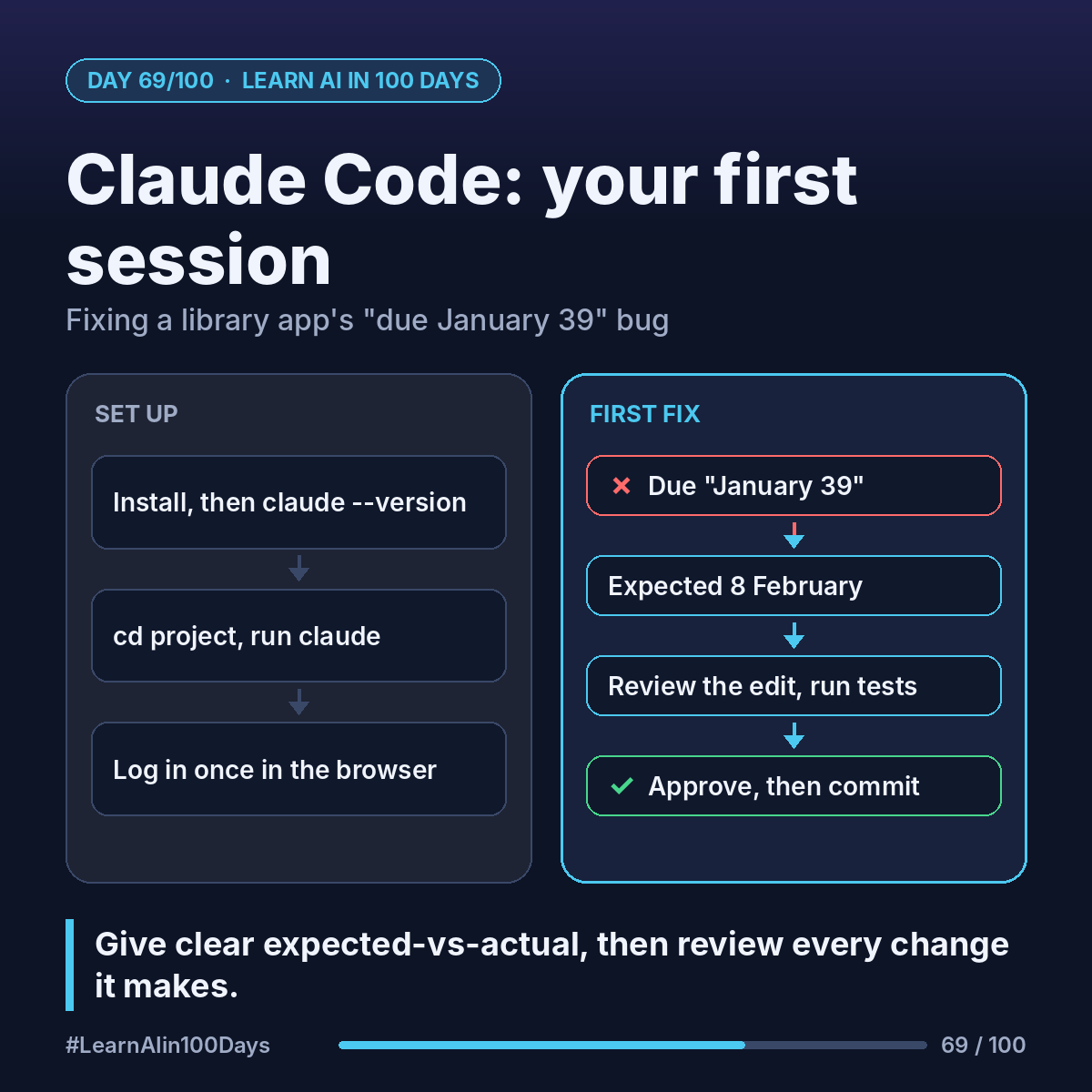
Then open a new terminal and run claude --version to confirm.
Walkthrough: the "January 39" bug
The app (illustrative) sets the due date as borrow date + 14 days.
1. cd into the project folder, type claude, and log in in your browser the first time.
2. Ask first, change later: "What does this project do, and where is the due date calculated?"
3. Describe the bug precisely: "A book borrowed 25 January shows due 'January 39'. Expected 8 February. Find the cause, fix it, and add a test for month and year boundaries."
4. Claude finds the cause (it added 14 to the day number instead of using real date arithmetic), shows the edit and asks before applying it. Read it, then approve.
5. "Run the tests." Then "What files have I changed?" and, if happy, "Commit with a descriptive message."
Your job shifts from typing code to giving clear expected-vs-actual and reviewing the change.
Where you see it at work
- Business analysis: "Explain how this report calculates totals."
- Banking: tracing date or interest logic, with a reviewer before anything merges.
- Insurance: adding boundary tests to a renewal-date module.
- Healthcare: fixing an appointment-reminder script (no patient data in the repo).
- Product management: understanding a repo before writing a ticket.
Try it today (10–15 min)
1. Install with the command above, or see https://code.claude.com/docs/en/quickstart (new to the terminal? https://code.claude.com/docs/en/terminal-guide).
2. Open a small practice project, run claude, and ask "explain the folder structure".
3. Ask for one tiny change and approve it. Type /help for commands; Shift+Tab switches permission mode.
4. Ask it to adjust or undo the change: you stay in charge.
In one sentence
Claude Code is an agent in your terminal or editor that reads, runs and edits your project; give it clear expected-vs-actual and review every change.
What bug or chore would you hand Claude Code first? 👇