The concept
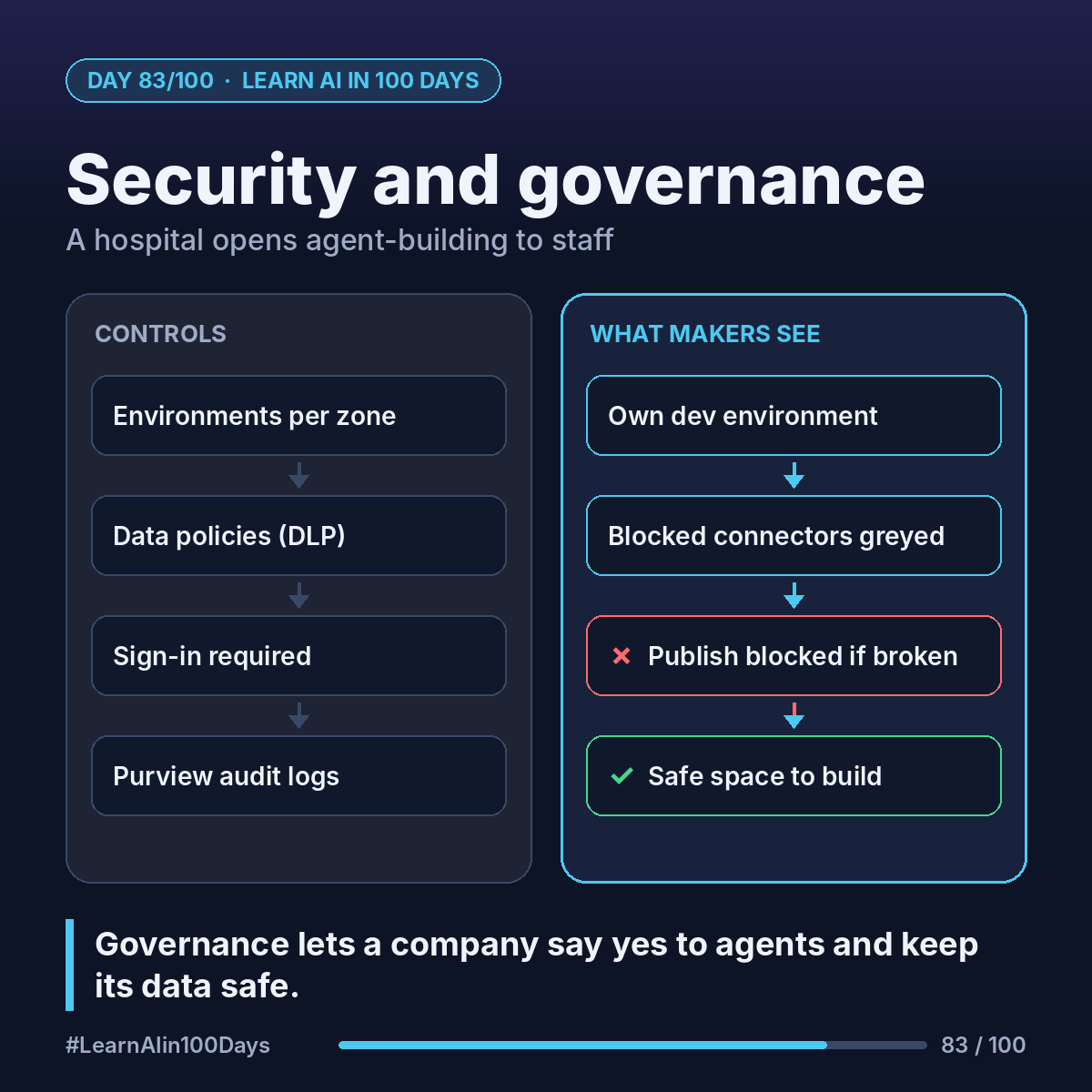
Four controls do most of the work:
- Environments: Power Platform containers that set data boundaries, roles and policies, and keep development, testing and production apart.
- Data policies (DLP, data loss prevention): admin rules for which connectors, channels and features agents may use.
- Authentication: who must sign in, and whose access tools use.
- Audit: maker activity logs in Microsoft Purview.
Admins manage most of this in the Power Platform admin center.
Walkthrough: a hospital opens agent-building to staff
Goal: managers build agents; patient data stays in approved systems. Using Microsoft's three-zone guidance:
1. Zone 1, citizen development: environment routing gives each new maker their own developer environment. Personal agents, no wide sharing.
2. Data policy: Security → Data and privacy → Data policy → New Policy. Classify connectors as Business, Non-business or Blocked. Connectors in different groups can't share data.
3. Block "Chat without Microsoft Entra ID authentication in Copilot Studio". Now no agent can be published without authentication.
4. Limit the HTTP connector to approved endpoints; decide who may add event triggers (Day 81).
5. Zone 2, partnered development: agents for other teams go to IT-managed environments, with IT approval to publish.
6. Zone 3, professional: critical agents use release pipelines (ALM, application lifecycle management) and the strictest controls.
Break a policy and blocked connectors appear disabled; Publish is unavailable, with a Details banner listing each violation.
Also ask about customer-managed keys, data residency and tool authentication (Day 80).
Where you see it at work
- Banking: block consumer channels.
- Insurance: approved connectors only for claims data.
- Healthcare: sign-in required on every agent.
- Retail: stores build in a sandbox zone.
- PM and BA: "which zone and data policy?" in every agent spec.
Try it today (10–15 min)
1. Read: https://learn.microsoft.com/en-us/microsoft-copilot-studio/security-and-governance
2. Skim data policies: https://learn.microsoft.com/en-us/microsoft-copilot-studio/admin-data-loss-prevention
3. Ask IT: which environment do I build in, and which connectors are blocked?
4. For your agent idea, write its zone, the data it touches, and who signs in.
In one sentence
Environments, data policies, sign-in and audit logs let a company say yes to agent builders without losing control of its data.
What governance rule should your company set first? 👇