The concept
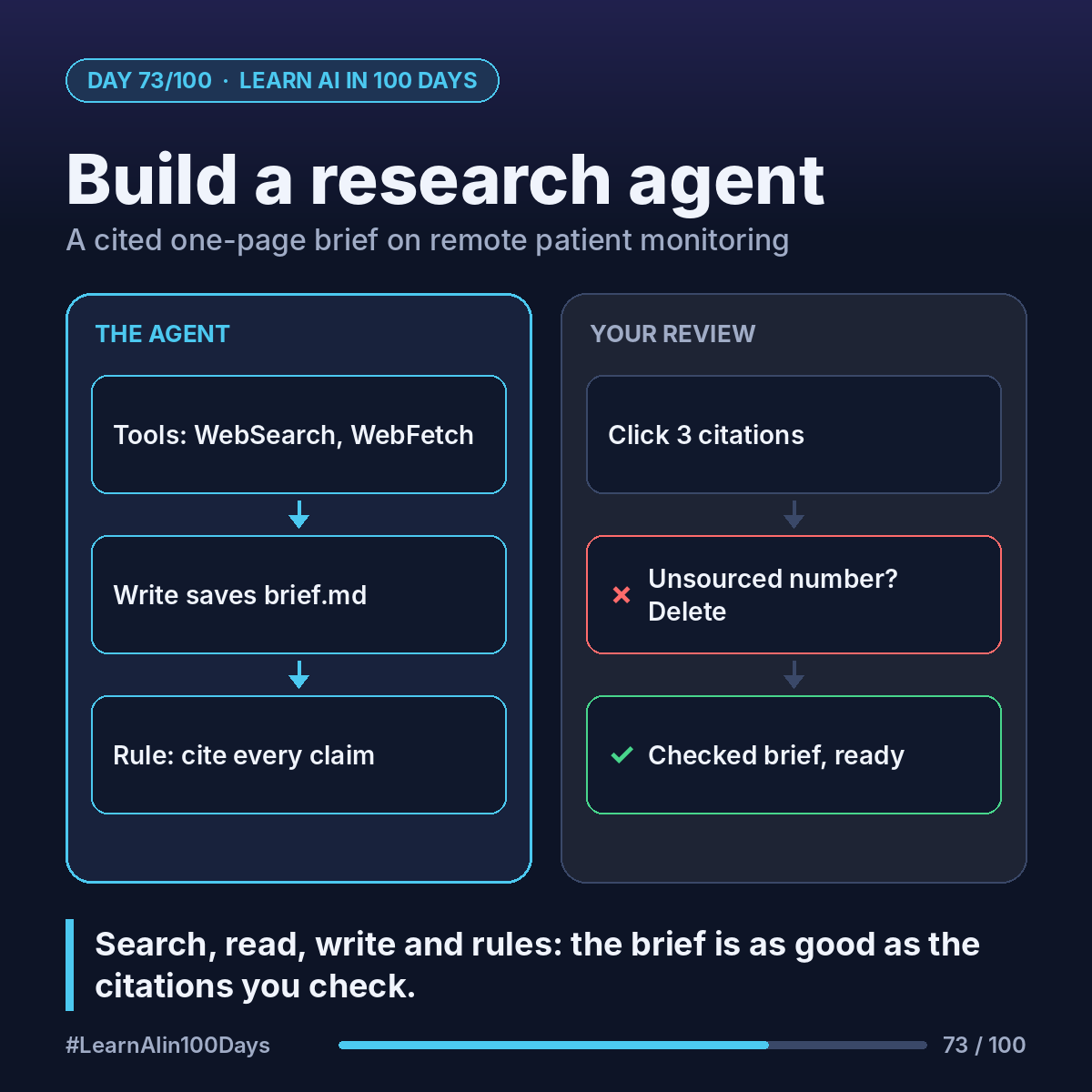
A research agent is an agent loop (Day 36) with three tools:
- WebSearch: find candidate pages.
- WebFetch: open a page and read it.
- Write: save the brief to a file.
The Claude Agent SDK (Day 72) has these built in. You don't write search code. You write the goal, the rules and which tools are allowed.
Walkthrough: a cited brief on remote patient monitoring
Remote patient monitoring (RPM): patients use devices at home, like blood-pressure cuffs or glucose meters, and readings go to their care team.
1. Set up once (from the quickstart): Python 3.10+, pip install claude-agent-sdk, and your Claude Console API key in ANTHROPIC_API_KEY (never in the code, Day 51).
2. Copy the quickstart's agent.py. Change only two things.
3. allowed_tools: ["WebSearch", "WebFetch", "Write"]. Keep permission_mode "acceptEdits" so it can save the file.
4. The prompt:
"Research remote patient monitoring for a hospital operations leader. Use at least 5 sources; prefer government, peer-reviewed and professional bodies. Write brief.md, one page: What it is, Where it helps, Risks and open questions, Sources. Cite every claim with a numbered link. If sources disagree, say so. Do not invent numbers."
5. Run python agent.py and watch: search, fetch, fetch, write. Then open brief.md.
What makes it trustworthy isn't the agent. It's your review:
- Click 3 citations. Does the page say what the brief claims?
- Any number without a source? Delete it.
- Anything only one source says? Mark it as such.
The agent opens the pages it cites, so you can trace each claim. It can still misread one. That's why you check.
Where you see it at work
- Healthcare: briefs on care models, guidelines or device rules.
- Banking: a cited overview of a new payment regulation.
- Product management: a competitor or market scan with links, not vibes.
Try it today (10–15 min)
1. Follow the quickstart until the sample agent runs: https://code.claude.com/docs/en/agent-sdk/quickstart
2. Swap in the three tools and the prompt above, on a topic from your job.
3. Run it, open brief.md and check 3 citations by hand.
4. Tighten one rule in the prompt (e.g. "sources from the last 2 years") and run again.
Treat the output as a first draft for a person to verify, not as advice.
In one sentence
A research agent is the Agent SDK loop with search, read and write tools plus clear rules, and its brief is only as good as the citations you check.
What topic would you have a research agent brief you on first? 👇