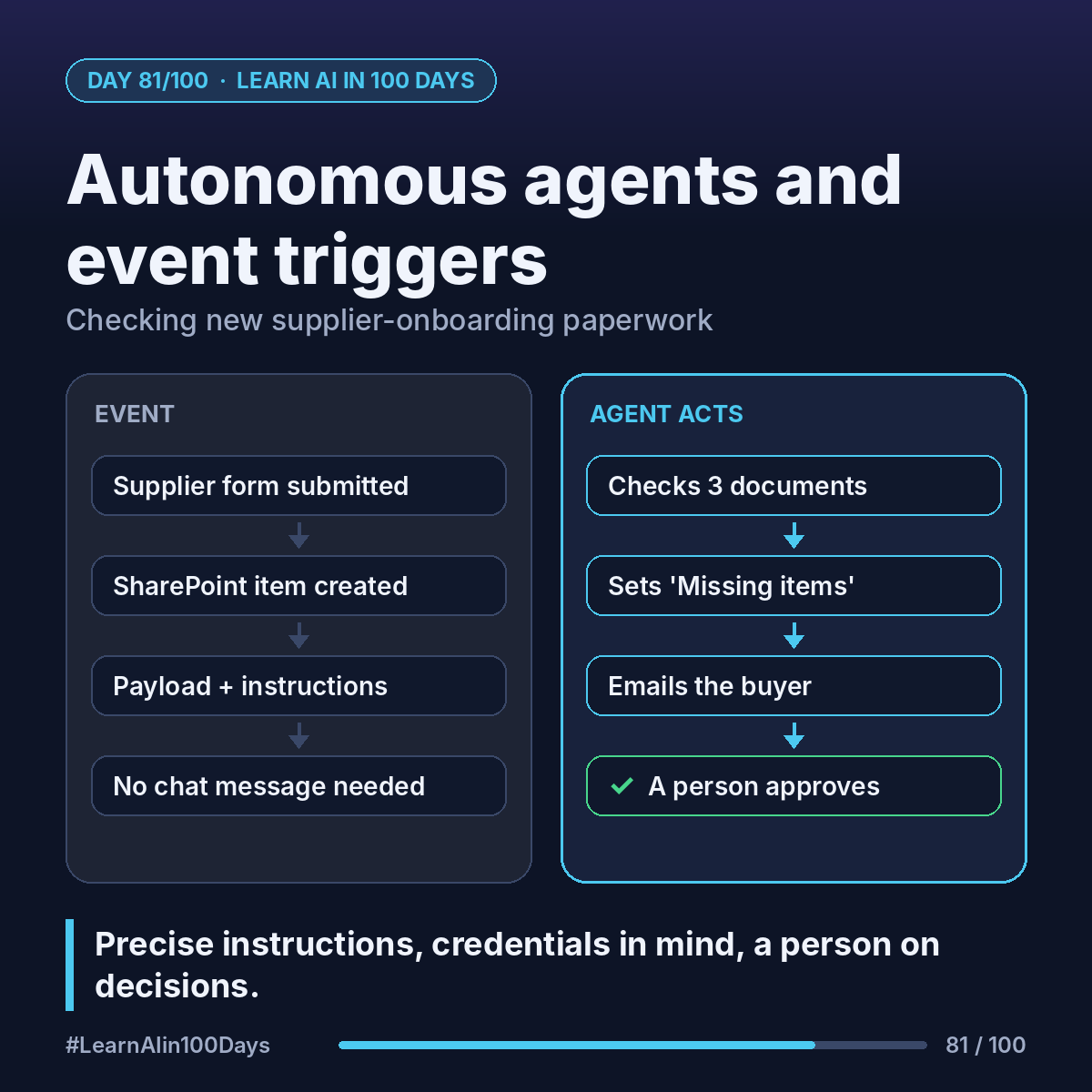
The concept
Event trigger: a rule that wakes the agent when an event happens, no chat needed. Examples in Microsoft's docs: an item is created in SharePoint, a file is created in OneDrive, a Planner task is completed, a set time passes (Recurrence).
Payload: the event details (JSON or text) sent to the agent, plus your instructions for that event.
The agent then picks topics or tools to act. Event triggers need generative orchestration on.
Walkthrough: supplier-onboarding check
Procurement collects supplier forms in a SharePoint list.
1. Overview → Triggers → Add trigger → SharePoint "When an item is created". Pick the site and list.
2. Payload instructions: "A new supplier submitted the onboarding form. Check that a tax form, a bank-details letter and an insurance certificate are attached and the certificate isn't expired. Set Status to 'Complete' or 'Missing items' and email the buyer a 3-line summary."
3. Tools it needs: get the item and attachments, update the item, send an email.
4. Test: submit a sample form, select the test icon beside the trigger, pick the event, Start testing. The activity map shows each step.
5. Publish. Only then does it react on its own. Review runs on the Activity page.
Example run (illustrative): a supplier uploads 2 of 3 documents. The agent sets "Missing items" and emails: "Insurance certificate not attached." A person still approves the supplier.
Know before you switch it on:
- Triggers use only the maker's credentials, so users may reach data through your access. Copilot Studio warns you at publish.
- Every payload is billed. A trigger every 10 minutes sends 144 a day.
- Admins can block event triggers with data policies.
Where you see it at work
- Banking: check loan-application uploads for completeness.
- Insurance: triage new claim documents overnight.
- Healthcare: flag incomplete referral forms.
- Retail: review new vendor product listings.
- PM: summarize finished Planner tasks daily.
Try it today (10–15 min)
1. Read: https://learn.microsoft.com/en-us/microsoft-copilot-studio/authoring-triggers-about
2. Pick one event at work; write its payload instructions in 3 sentences.
3. Add the trigger and test it once: https://learn.microsoft.com/en-us/microsoft-copilot-studio/authoring-trigger-event
In one sentence
Event triggers let an agent start itself, so keep instructions precise, credentials in mind and a person on final decisions.
Which event at work should wake an agent first? 👇