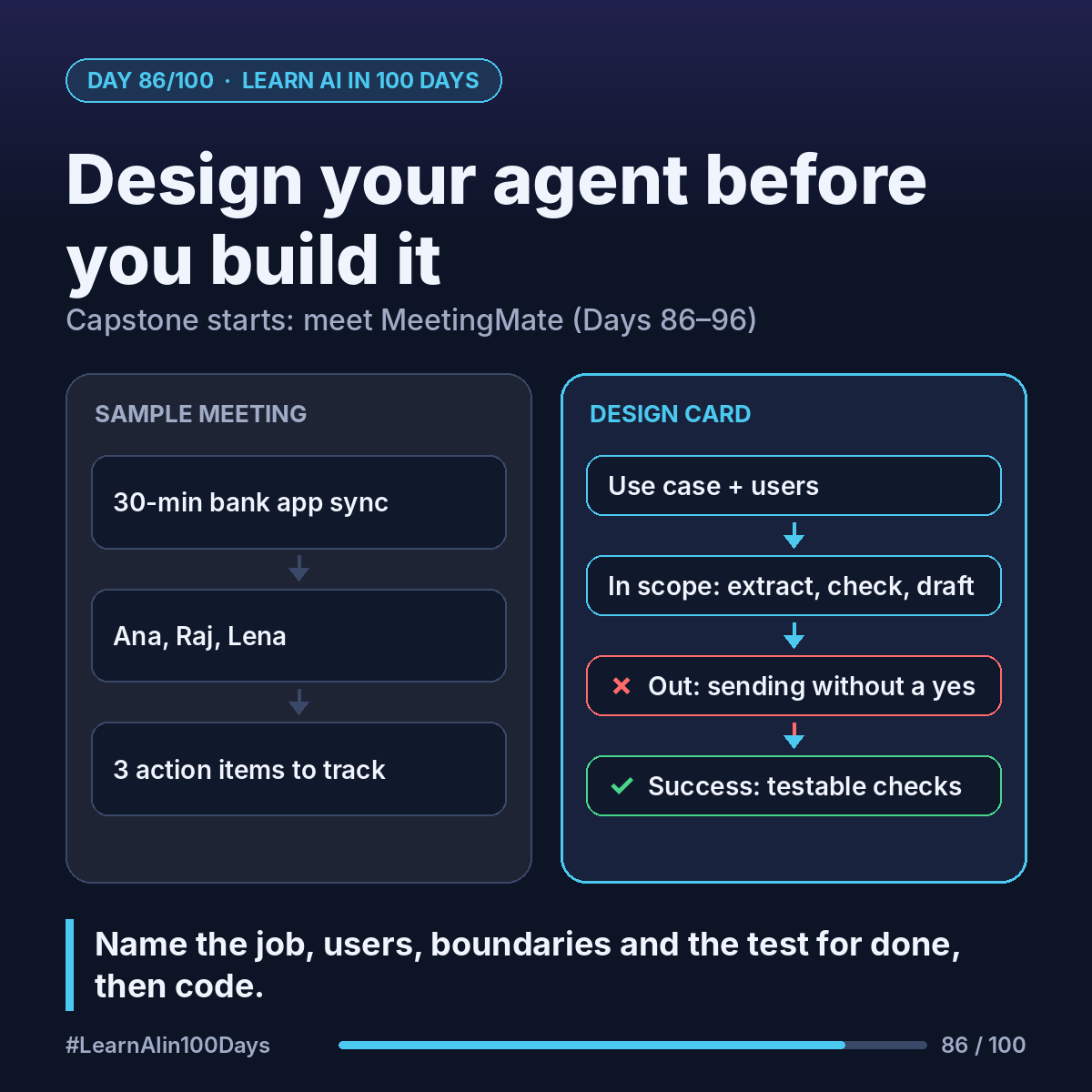
Meet MeetingMate, our running example for Days 86–96. Each post adds one piece.
The job: paste in meeting notes or a transcript. MeetingMate lists the action items as JSON (task, owner, due date), checks them against open tasks so nothing is duplicated, and drafts the follow-up email. A human approves before any task is created or any email is sent.
The concept
Before you build, answer four design questions:
- Use case: what job, triggered when?
- Users: who uses it, who is affected by it?
- Scope: what it does, and what it will NOT do.
- Success criteria: how you will measure "it works".
Walkthrough: designing MeetingMate
Our sample meeting (used until Day 96): a 30-minute product sync for a bank's mobile-app team.
- Ana, product owner
- Raj, engineer
- Lena, compliance
It produces 3 action items:
1. Raj: fix the Android login timeout, by Friday.
2. Lena: review the new push-notification wording, by next Wednesday.
3. Ana: share the updated release plan with stakeholders, by Thursday.
Now the design card:
- Use case: right after a meeting, turn notes into tracked tasks and a recap email in a few minutes.
- Users: the organiser (Ana) runs it; attendees get tasks and email.
- In scope: extract action items, check duplicates, draft the email.
- Out of scope: joining calls, recording audio, sending without approval, setting priorities.
- Success criteria (our targets, not industry figures): on a test set of sample transcripts (Day 91), find every real action item, invent none, get the owner right, flag duplicates, and leave nothing created or sent without a human "yes".
Build path: Python + Claude API tool use (Days 67–68), with a note on mapping it to Copilot Studio. Codex, GitHub Copilot or Claude Code can help write the code.
Where you see it at work
- Product owners: this card is a mini product brief.
- Business analysts: success criteria become acceptance criteria.
- Banking: "out of scope" is where risk teams look first.
Try it today (10–15 min)
1. Copy the 5 headings: use case, users, in scope, out of scope, success criteria.
2. Fill them in for MeetingMate, or for the agent idea you picked on Day 85.
3. Write 3 things it must never do.
4. Turn each success criterion into a yes/no check you could test.
Building in Claude? Start here: https://platform.claude.com/docs/en/get-started
In one sentence
Design an agent like a product: name the job, the users, the boundaries and the test for "done" before you write code.
What would you put in MeetingMate's "out of scope" list? 👇