The concept
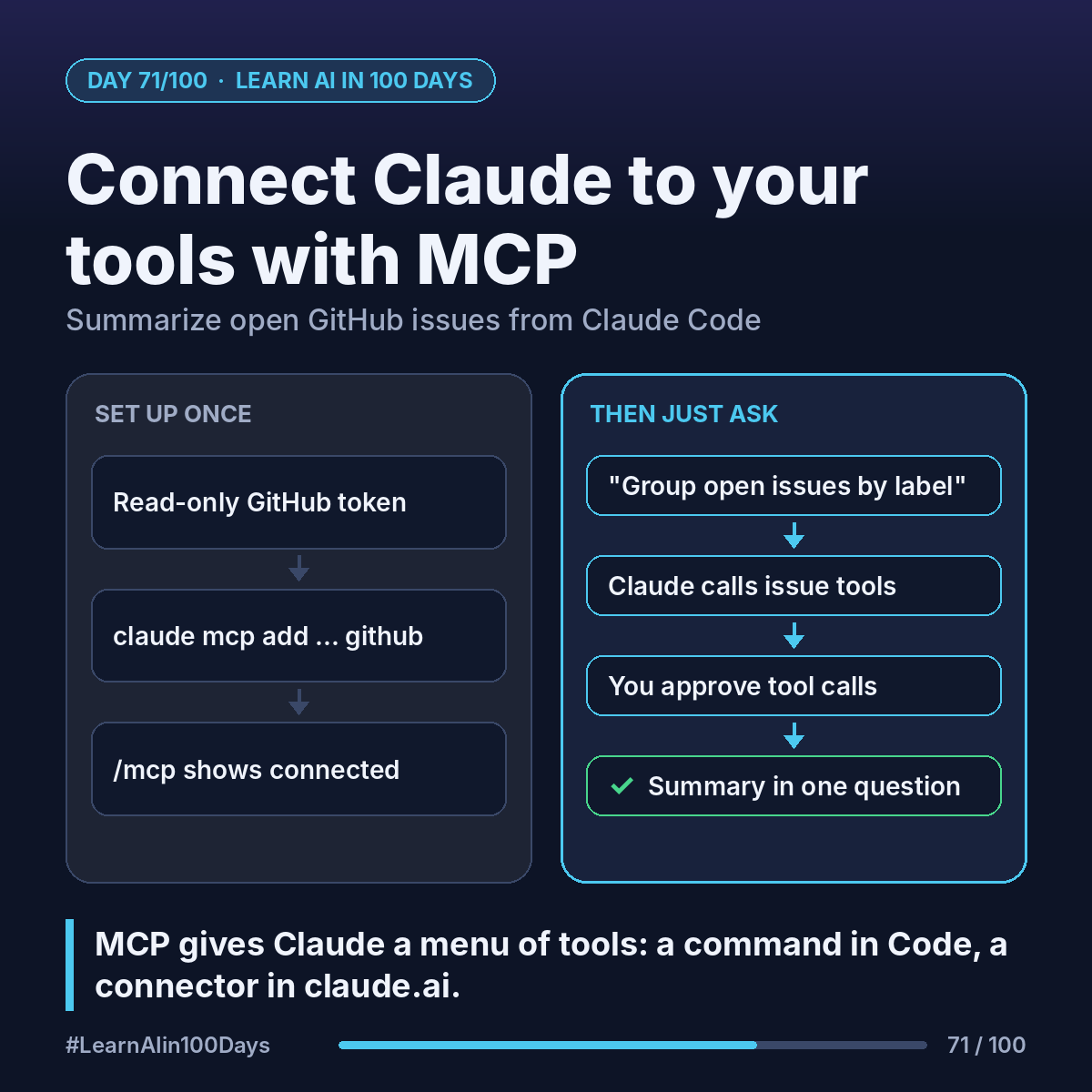
MCP (Model Context Protocol, Day 41): an open standard for plugging AI apps into tools and data. An MCP server wraps one system (GitHub, a ticket tracker, your files) and offers tools the model can call, like "list issues".
Claude can use MCP servers in three places:
- Claude Code: add a server with one terminal command.
- Claude Desktop: run local servers on your own computer.
- claude.ai (web, desktop, mobile): "connectors", including custom ones that point at a remote MCP server URL.
Walkthrough: summarize open GitHub issues in Claude Code
1. Create a GitHub personal access token (a password for programs, Day 51) with read access to the repo only.
2. In the terminal, Anthropic's docs show this (one line):
claude mcp add --transport http github https://api.githubcopilot.com/mcp/ --header "Authorization: Bearer YOUR_GITHUB_PAT"
3. Start claude and type /mcp. GitHub should show as connected.
4. Ask: "List the open issues in our-team/web-app, group them by label, and flag any with no update in 14 days."
5. Claude calls the server's issue tools and writes the summary. You approve tool calls first.
Claude didn't learn GitHub. It got a menu of GitHub tools and picked the right ones (Day 37).
Scopes: by default the server is just for you, in this project. Add --scope project to save it in a .mcp.json file the team shares via git; each person approves it once.
Desktop and web: in claude.ai, open Customize, then Connectors. Custom connectors from a remote URL work on all plans (Free is limited to one). Local servers in Claude Desktop are configured in a JSON file and run only on that computer.
Where you see it at work
- Product management: weekly backlog health from GitHub or a tracker.
- Banking: read-only access to an internal knowledge base.
- Insurance: claim status from a case system inside the chat.
- Business analysis: compare a spec with open tickets.
Give each server the least access the task needs. Read-only first.
Try it today (10–15 min)
1. Run the claude mcp add command above with your token (any public repo works).
2. Type /mcp to check status, then ask for a grouped summary of open issues.
3. Remove it when done: claude mcp remove github
Docs: https://code.claude.com/docs/en/mcp
Connectors: https://support.claude.com/en/articles/11175166-get-started-with-custom-connectors-using-remote-mcp
In one sentence
MCP servers give Claude a menu of tools for your systems, added with one command in Claude Code or as a connector in claude.ai.
Which system would you connect first: tickets, docs or a database? 👇