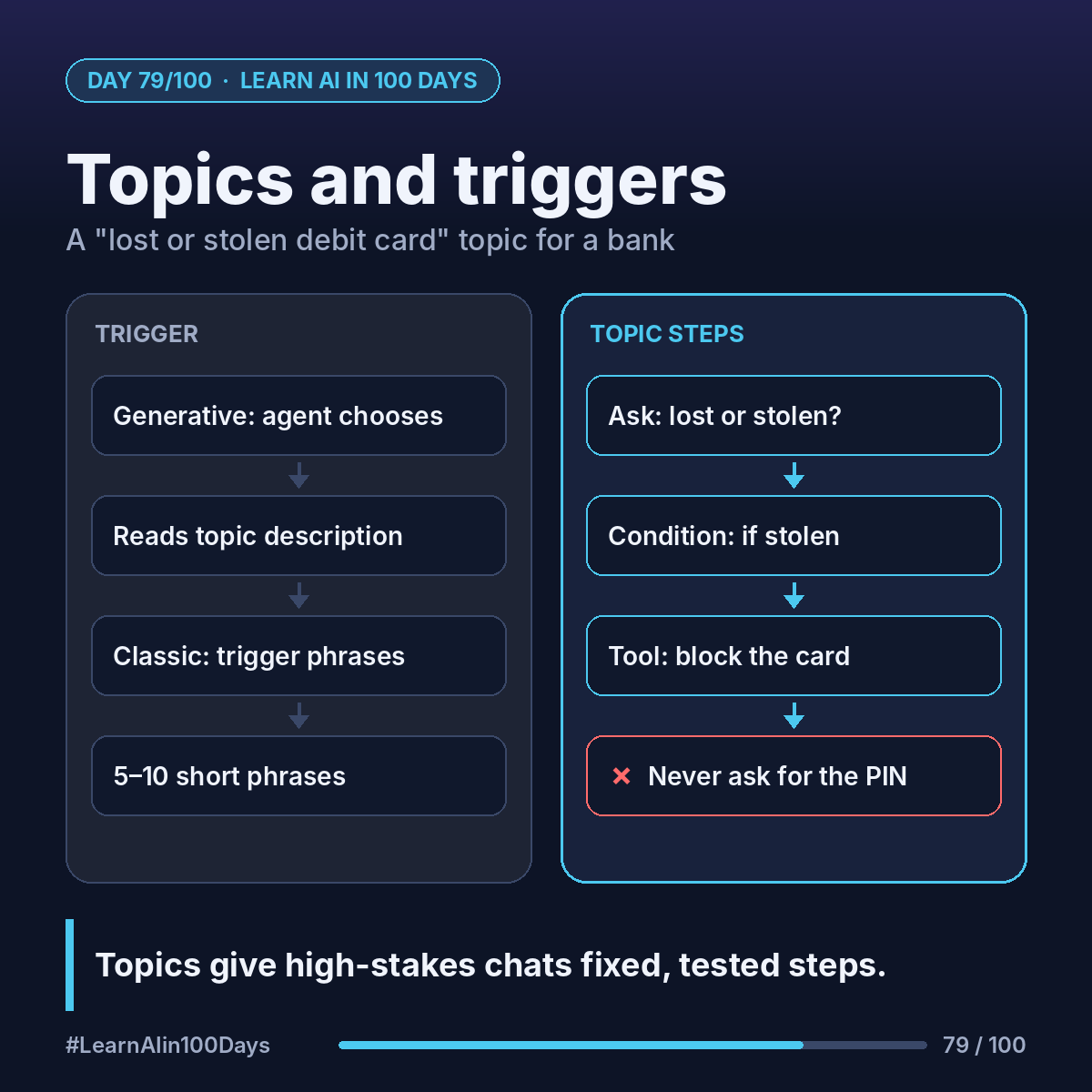
The concept
Topic: a conversation path you design with connected steps, questions and conditions.
Trigger: what makes the topic start.
How the agent picks a topic depends on orchestration (the logic that decides what runs next):
- Generative orchestration (default for new agents): the trigger shows "The agent chooses". It reads each topic's description and can combine topics, tools and knowledge.
- Classic orchestration: the trigger is "User says a phrase". The topic runs when the message matches its trigger phrases. Microsoft suggests 5–10 short ones.
You switch in Settings → Generative AI → Orchestration.
Walkthrough: a "lost or stolen debit card" topic
1. Topics → Add a topic → From blank.
2. Trigger. Generative: description "Use when a customer says their debit card is lost or stolen, or asks to block or freeze it."
Classic: phrases like "I lost my card", "card stolen", "block my debit card", "freeze my card", "can't find my wallet".
3. Message node: "Let's protect your account right away."
4. Question node: "Was the card lost or stolen?" with 2 buttons. The answer is saved in a variable.
5. Condition node: if stolen → "Do you see any transactions you don't recognize?"
6. Tool node: call the bank's block-card flow (tomorrow's topic).
7. Message: confirm, and explain the replacement.
8. Topic management node: if there are unrecognized transactions, transfer to a person.
Design rules:
- Never ask for a full card number, PIN or password in chat.
- Make each description specific. Overlapping descriptions cause unpredictable topic choices.
System topics such as Escalate and Fallback cover the basics. You can edit them, not delete them.
Where you see it at work
- Banking: card blocks, disputes, address changes.
- Insurance: "report a claim" first-notice steps.
- Healthcare: appointment changes with fixed checks.
- Retail: order cancellations within policy.
- BA: a topic is a process map you can run.
Try it today (10–15 min)
1. Read: https://learn.microsoft.com/en-us/microsoft-copilot-studio/authoring-create-edit-topics
2. In yesterday's agent, build a 4-node topic: trigger, question, condition, message.
3. Test 3 ways of asking. Does it fire? Open the activity map to see why.
4. Compare orchestration modes: https://learn.microsoft.com/en-us/microsoft-copilot-studio/advanced-generative-actions
In one sentence
Topics give high-stakes conversations fixed, tested steps, while generative orchestration decides when to use them.
Which conversation at your work should always follow a script? 👇